Select Version of EA Desktop:
A placeholder is used to point to media that hasn't been remediated.
Creating a placeholder adds a new file record in the Files grid and automatically links to the file to the selected media. The placeholder becomes available for editing as needed. Exploration Archives generates a file ID for each new file placeholder.
 To add a file placeholder for an individual media:
-
Select a media item from the Media grid that your file placeholder will link to.
-
Right-click on the media and select Add file placeholder.
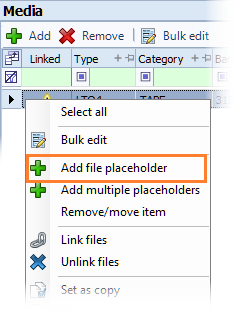
A new row is instantly added to the Files grid with an auto-generated File ID. The media automatically links to the file placeholder. -
Enter the associated information for the file placeholder, as applicable.
-
Click Save.
To add more than one placeholder for one or more media...
-
Select the media row(s) in the Media grid that require more than one file placeholder each.
-
Right-click on the media and select Add multiple placeholders.
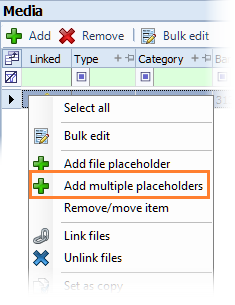
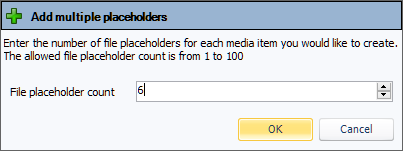
A pop-up opens for you to specify the number of placeholders per media you want to create. -
Select a number and click OK.
New rows add to the Files grid with auto-generated File IDs. Each media automatically links to specified number of file placeholders. -
Enter the associated information for each placeholder, as applicable.
-
Click Save.
To simultaneously add a placeholder to multiple media:
-
Select multiple media items in the Media grid.
-
Right-click on the media and select Add file placeholder.
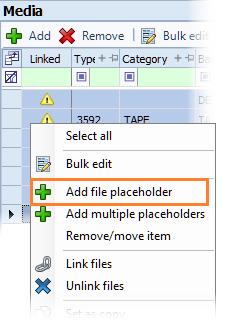
A file placeholder is automatically created in the Files grid for each selected media, using a one-to-one linking.
-
Enter the associated information for each placeholder, as applicable.
-
Click Save.